Lesson 14 · Organize
Color the important tasks
One rule tints the Priority cell of every Important task light orange, so the work that matters stands out when you scan the Grid.
Detail · Conditional coloring dialog · 1.4×
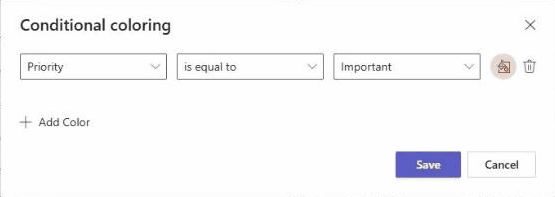
Fig 14.1The finished rule, before Save. Numbers match the steps on the right.
Procedure
In the Grid, click Conditional coloring
FieldPriority
Operatoris equal to
ValueImportant
ColorPick light orange
SaveThe rule applies straight away
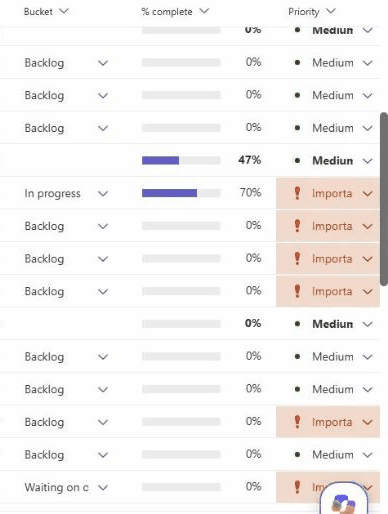
Fig 14.2After Save, only the Priority cell changes color. In the clip that’s rows 17–20, 24 and 26.
Fig 14.3Recording, 34 s: building the rule and saving it.
Click to play full size
Plan standard
No Urgent on this plan. Important is the top priority, so this one rule picks out everything that matters.
14Chapter 03 · Organize