Link dependencies
A dependency says one task can’t start until another has finished. Planner calls this Finish to Start, written FS.
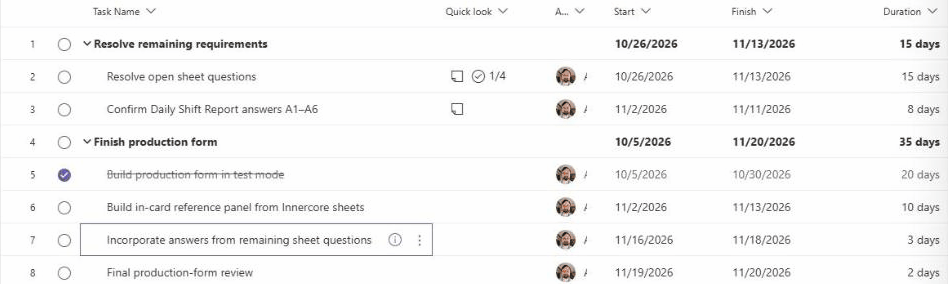
Predecessor. Row 2, Resolve open sheet questions, finishes Friday 11/13.
Successor. Row 7, Incorporate answers from remaining sheet questions, starts Monday 11/16, after row 2 has finished.
Fig 11.1Row 7 now depends on row 2: it can’t start until row 2 finishes.
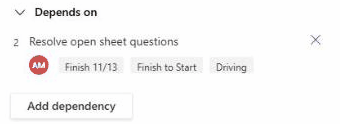
Fig 11.2Depends on, in the details pane of row 7, after linking.
Open the task that has to wait (row 7 here) and scroll the details pane to Depends on. Click Add dependency.
A search box opens with suggested tasks. Pick the one it waits on. Here that’s row 2, Resolve open sheet questions.
The link appears with the other task’s finish date and the link type: Finish 11/13, Finish to Start.
In the Grid, add the Depends on column. Double-click a cell, type the other task’s row number, wait about two seconds, then press Enter. Links show up like 8FS 17FS.
A chain can push later tasks out. When this plan’s chain was linked, two tasks moved: row 38 to 23 Dec and row 39 to 24 Dec.
Fig 11.3Recording, 10 s: adding row 2 as a dependency of row 7 from the details pane.
Click to play full size