Chapter 02
Work a task
Nearly everything in this chapter happens in the task’s details pane. Hover over a row in the Grid and click the ⓘ beside the task name to open it.
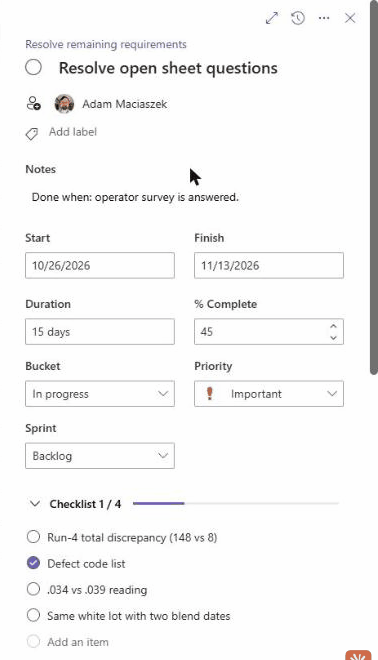
Fig 02.0The details pane, open on Resolve open sheet questions.
In this chapter
05Check who a task is assigned toDetails pane · Assignee06Move a task to another bucketBoard07Write a “Done when” noteDetails pane · Notes08Add a checklistDetails pane · Checklist09Set % completeDetails pane · % Complete10Turn a task into a milestoneDetails pane · Duration11Link dependenciesDetails pane · Depends on
02Chapter 02 · Work a task